
Our advice
- If a key does not work, check that you have the right game open. The older Mechanic Legends by Mechanic Devs is a separate game, so key lists made for it may not match this one.
- We would not trust a key list that names mobile or console buttons yet. The game page does not say which devices it supports, and no source we have shows those controls.
Mechanic Legends Controls, step by step
-

Step 1: hold E on a car to inspect it and press F to get out of a car. Illustration by MechanicLegends.org Learn the two confirmed keys
On PC, holding E on a car brings up its inspection panel, and F is the key for getting out of a car. Two player channels show each key as of the October 29, 2026 update.
-
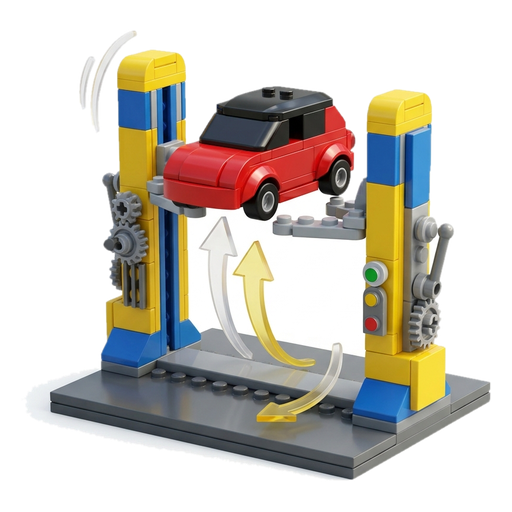
Step 2: drive onto the lift in your garage and raise it. One player guide presses E to do this. Illustration by MechanicLegends.org The garage lift
Drive the car onto the lift in your garage. One player guide raises the lift by pressing E. That is a single report so far, so treat it as likely rather than certain.
-
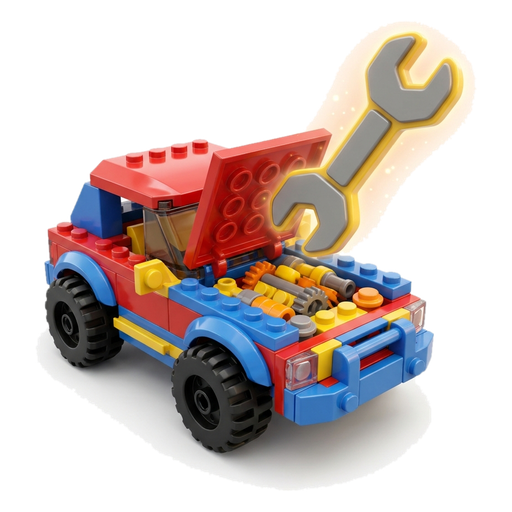
Step 3: with the hood up, the wrench in your hand reveals which parts need work. Illustration by MechanicLegends.org Damage check with the wrench
Once the car is up in the air, lift the hood and keep the wrench held; that is how the damaged parts show up. Each one then comes out, gets fixed and goes back in. None of our sources names the key for the wrench.
-

Step 4: one creator found a controller hard to use and needed the keyboard or mouse for some actions. Illustration by MechanicLegends.org Controllers and driving aids
One creator found a controller hard to use, because getting out of the car and some menus needed the keyboard or mouse. The game gives you two driving aids, ABS and a traction control you can turn off, but we have no source yet for the key or menu that changes them.
Where people get stuck
You cannot get out of the car on a controller
One creator needed the keyboard or mouse to get out of the car while playing on a controller. Press F on the keyboard to leave the car.
You cannot find a place on the map
Look for the GPS line drawn on the road and drive along it. It brings you to the paint shop, the dealer and other places on the Los Archilis map.
The car spins its wheels after you change the driving aids
Mechanic Legends lets you turn traction control off. In a real car, turning it off lets the wheels spin more under power, so switch it back on if the car feels hard to control.
Mechanic Legends keys on PC
As of the October 29, 2026 update, player videos show only a few keys for Mechanic Legends, and they are all keyboard keys. The game page itself does not list controls or say which devices the game supports. This is what we can source:
| Action | Key | Source status |
|---|---|---|
| Inspect a car | Hold E | Confirmed |
| Get out of a car | F | Confirmed |
| Raise the garage lift | E | Reported |
| See damaged parts under the hood | Hold the wrench; key not named | Confirmed action, key unknown |
| Switch off traction control | No source yet | Confirmed feature, key unknown |
| ABS | No source yet | Confirmed feature, key unknown |
| Mobile controls | No source yet | No source yet |
| Console controls | No source yet | No source yet |
Confirmed means at least two separate player channels show the same key. Reported means only one player video shows it so far. We will move a key to Confirmed when a second video shows it, and we will add mobile and console controls only when a source shows them.
How do you get out of a car?
Press F. Two player channels show this key on PC. If you are on a controller and cannot get out, you are not alone: one creator found that leaving the car needed the keyboard or mouse. Keep the keyboard close until the controller support is clearer.
How do you inspect a car?
E is the inspection key: keep it held on a car and the inspection panel opens. Two player channels show this key. The panel lists the condition, the damaged parts, the repairs, the market value and the asking price. At the junkyard, this is how you check a car before you buy it, so you know how many parts it needs and how its market value compares with the price.
Garage controls
Most of the hands-on work happens in your garage:
- Drive the car onto the lift.
- Raise the lift. One player guide does this by pressing E. It is a single report so far.
- Open the hood.
- Keep the wrench held to spot the damaged parts.
- Pull each damaged part, repair it and refit it.
The sources we have describe each action but do not name a key for opening the hood or holding the wrench, so we leave those blank instead of guessing. Our Mechanic Legends parts guide covers what to do with each part once you have found the damage.
Driving aids: traction control and ABS
Two player channels mention a pair of driving aids: ABS, and a traction control setting with an off option. We have no source yet for the key or the menu that switches them, so we cannot tell you where the setting lives.
In a real car, traction control cuts engine power when a wheel starts to spin, and ABS stops the wheels from locking under hard braking. If a car in the game feels harder to handle after you change a setting, switch traction control back on and compare.
Can you use a controller?
You can try, but expect gaps. One creator found the controller hard to use in Mechanic Legends: getting out of the car and some menus needed the keyboard or mouse. That is a single report, and the game is still in BETA, so controller support may improve with updates.
The game page does not say which devices Mechanic Legends supports. That is different from some other Roblox car games that state their platforms on the page, so do not assume console or mobile support works the same here.
Mobile and console
We have no source yet for the mobile controls or the console controls. Every key on this page comes from player videos that use a keyboard. If you play on a phone or a console, go by what the game shows you for now. We will add those controls when a player video or the game page shows them.
Getting around the map
You do not need a map key to find places, since the road itself carries a GPS line toward the paint shop, the dealer and other spots on the Los Archilis map. For what to do first once you can move around, start with our Mechanic Legends guide.
Mechanic Legends Controls: FAQ
How do you get out of a car in Mechanic Legends?
Press F to get out of a car in Mechanic Legends on PC. Two player channels show this key. One creator playing on a controller still needed the keyboard or mouse to leave the car.
How do you inspect a car in Mechanic Legends?
You inspect a car by holding E on it, which brings up the inspection panel with the condition, damaged parts, repairs, market value and asking price. In your garage, the wrench does a similar job under the hood: hold it with the hood open and the damaged parts show up.
Can you use a controller in Mechanic Legends?
One creator found a controller hard to use in Mechanic Legends, because getting out of the car and some menus needed the keyboard or mouse. The game page does not say which devices are supported.
How do you raise the lift in Mechanic Legends?
Drive the car onto the lift in your garage and raise it. One player guide raises the lift by pressing E, but that key comes from a single video so far.
Can you turn off traction control in Mechanic Legends?
Yes. Turning traction control off is an option in Mechanic Legends, and ABS is part of the game as well. We have no source yet for the key or menu that does it.
What are the Mechanic Legends controls on mobile?
We have no source yet for the mobile controls. The game page does not say which devices Mechanic Legends supports, and every key on this page comes from player videos that use a keyboard.
How do you find places in Mechanic Legends?
You find places by driving along the GPS line on the road. That line is how the game points you to the paint shop, the dealer and other stops on the Los Archilis map.